LinkedIn Post Generator: Create Professional Posts Easily
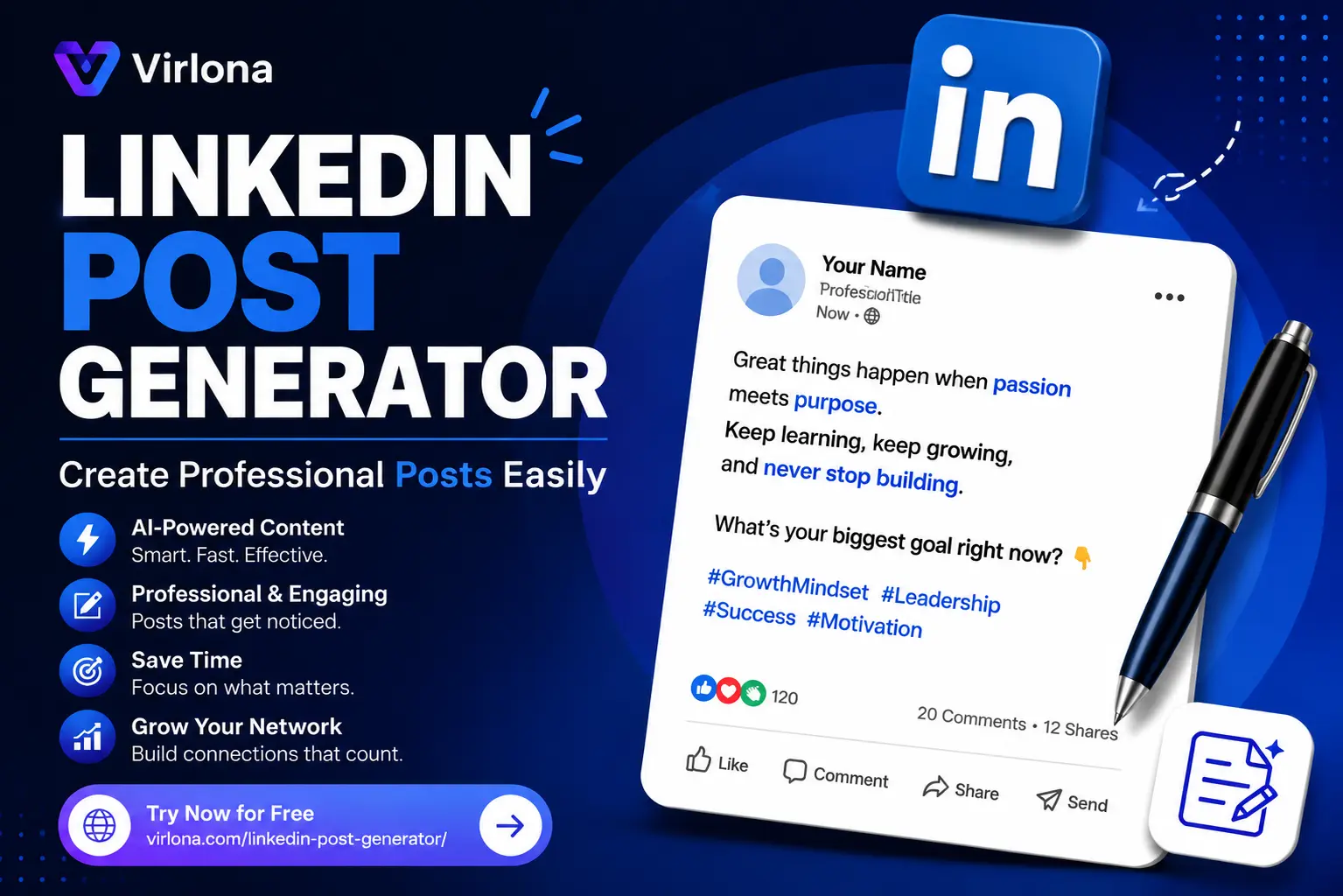
LinkedIn Post Generator: Create Professional Posts Easily
Writing high-quality content for LinkedIn consistently is a massive challenge. Between navigating the professional tone, figuring out how to hook a reader in the first two lines, and beating daily writer’s block, content creation can quickly feel like a second full-time job.
If you are trying to scale your personal brand, acquire high-ticket clients, or grow a business page, you don’t have hours to spend staring at a blank cursor. That is exactly where specialized AI writing support becomes essential.
This comprehensive guide explores how to leverage the Virlona LinkedIn Post Generator to streamline your professional content workflow, maintain your unique brand voice, and maximize network engagement without burning out.
Why LinkedIn Content is Modern Business Currency
LinkedIn has shifted entirely from a static résumé database to an active organic distribution channel. Whether you are an individual creator, a marketing manager at a SaaS company, or a boutique local business owner, publishing regular content is the single best way to capture attention in your industry.
Regular posting delivers a few undeniable advantages:
- Organic Distribution: Unlike other social channels where organic reach has hit rock bottom, LinkedIn still amplifies high-engagement posts outside of your immediate network via secondary connections.
- Shortened Sales Cycles: When prospects read your thoughts, frameworks, and commentary regularly, they build trust with you before they ever jump on a discovery call.
- Talent & Partnership Magnet: Clear thought leadership doesn’t just attract clients; it positions your organization as an inspiring place to work, drawing top-tier talent and collaboration opportunities naturally.
Despite these benefits, the manual overhead is high. Crafting a post that sounds authority-driven without sounding stiff or overly corporate takes time—a resource most operators simply lack.
Deep Dive: Inside the Virlona LinkedIn Post Generator
The generator bypasses the traditional blank-page problem by providing hyper-targeted templates structured around proven social media copywriting formats. Instead of writing from scratch, it serves as an automated drafting partner that formats information into clean, readable LinkedIn anatomy.
Core Architecture and Features
- Niche Diversity & Context Awareness: The generator doesn’t rely on generic corporate speak. It shifts framework structures based on whether you are writing for a B2B SaaS product (which needs feature-benefit metrics) or a fitness coach (which requires community motivation and transformational hooks).
- Tone Control: Striking the balance between “credible professional” and “accessible expert” is tough. The engine anchors its drafts in clean, polished language that avoids sounding overly academic while maintaining credibility.
- Audience Alignment: It builds structural differences into the output depending on your goal—adjusting formatting and phrasing to better appeal to peer operators, executive buyers, or broader industry communities.
- Zero Technical Barriers: It operates entirely browser-side, requires no local software installation, and is entirely open for public use with zero hidden paywalls or forced signup gates.
Step-by-Step Blueprint for High-Performing Drafts
To get the absolute most out of the system, treat the generator like an assistant. The quality of what it gives you depends heavily on the context you feed into it.
1.Establish Your Core Topic:Define the Spark.
Don’t just type generic phrases. Instead of typing “marketing tips,” try inputting a specific perspective or observation like: “Why short-form video is outperforming static ads for B2B tech.” Specificity gives the engine a stronger angle to build around.
2.Configure Your Target Audience & Goal:Align the Objective.
Determine who needs to read this post and what you want them to do. Are you targeting Chief Marketing Officers (CMOs) to drive bookable demos? Or are you aiming for product managers to increase community engagement? Pick your audience segment deliberately.
3.Inject Custom Angles, Hooks, or Offers:Add the Secret Sauce.
Use the optional notes section to provide unique context. Add a specific metric (e.g., “We boosted signups by 22%”), a unique keyword, or a clear call-to-action (CTA) like an ebook download or a website link.
4.Execute Generation & Refine:Review and Polish.
Hit “Generate Result” to let the platform compile the elements into a formatted draft card. Take a moment to read through it, adjust any industry-specific vocabulary to match your exact voice, and prepare it for scheduling.
Tactical Use Cases Across Diverse Industries
To visualize how the tool reshapes copy across various sectors, consider these structured content blueprints:
1. B2B Software as a Service (SaaS)
- The Goal: Feature education, problem-solving frameworks, and product updates.
- The AI Focus: Translating dense software features into high-level business advantages.
- Anatomy of a Post: An analytical hook highlighting an inefficiency $\rightarrow$ A breakdown of how software alleviates that bottleneck $\rightarrow$ A specific data-driven result $\rightarrow$ A clear link to test a demo.
2. Agency Owners & Web Design Studios
- The Goal: Case studies, design breakdowns, and project launches.
- The AI Focus: Combining visual descriptions with conversion logic.
- Anatomy of a Post: A visual hook detailing a before/after transformation $\rightarrow$ Bullet points outlining the strategic UX adjustments made $\rightarrow$ The final impact on client conversion rates $\rightarrow$ An open invitation for audits.
3. Professional Fitness & Executive Health Coaches
- The Goal: Mindset shifts, routines, and client testimonials.
- The AI Focus: Striking an encouraging, authority-driven, and highly actionable tone.
- Anatomy of a Post: A lifestyle hook addressing professional burnout $\rightarrow$ 3 actionable, low-friction habits to implement this week $\rightarrow$ A testimonial quote $\rightarrow$ A community discussion question.
Human Optimization: The 80/20 Rule for AI Writing
While a generator gives you an excellent 80% baseline draft in seconds, the final 20% of manual editing is what transforms a standard post into a high-engagement piece of thought leadership.
Before hitting publish, run your draft through this quick optimization checklist:
- Optimize for “The See More” Button: LinkedIn truncates posts after the first 3 lines on mobile viewports. Ensure your first two lines contain a compelling hook or a contrarian statement that forces users to click “see more.”
- Add White Space: Dense text blocks kill readability on mobile. Break up multi-sentence paragraphs into single, impactful lines separated by line breaks.
- The “So What?” Test: Read the draft from the perspective of an incredibly busy reader in your target market. If the underlying value proposition isn’t instantly clear, tighten up the copy.
- Smart Hashtagging: Stick to 3 to 5 highly relevant industry hashtags at the bottom of the post. Avoid cluttering the body text with excessive tags, as it decreases visual readability.
Frequently Asked Questions
What exactly is the Virlona LinkedIn Post Generator?
It is a browser-based, AI-assisted content writing tool tailored specifically for professional network formatting. It turns basic concept prompts, notes, and targets into structured LinkedIn drafts.
Do I have to pay or create an account to use it?
No. The utility is available publicly online without forcing you through registration walls, subscription structures, or local downloads.
Can I specify my own content frameworks or target audiences?
Yes. The tool features dedicated fields to let you define specific industries, specify your desired networking audience, and provide optional input notes like direct hooks, target keywords, or distinct promotional offers.
Will the outputs look identical to other users’ posts?
Because the generator constructs its copy dynamically based on the unique combination of your specific topic input, chosen industry context, and custom notes, the results are contextualized drafts tailored to your business profile.
Can I copy these posts straight into my social scheduling tools?
Yes. The generation interface provides structured result cards that let you easily copy text directly into native LinkedIn, or scheduling applications like Buffer, Hootsuite, or HubSpot.
Summary and Practical Next Steps
Building a consistent presence on LinkedIn shouldn’t require compromising your core daily business operations. Utilizing streamlined toolsets like the Virlona LinkedIn Post Generator lets you balance professional messaging with sheer execution speed.
By automating the structural drafting process, you can pivot your focus to where your real leverage sits: high-level strategy, deep community networking, and refining your unique industry perspective.